
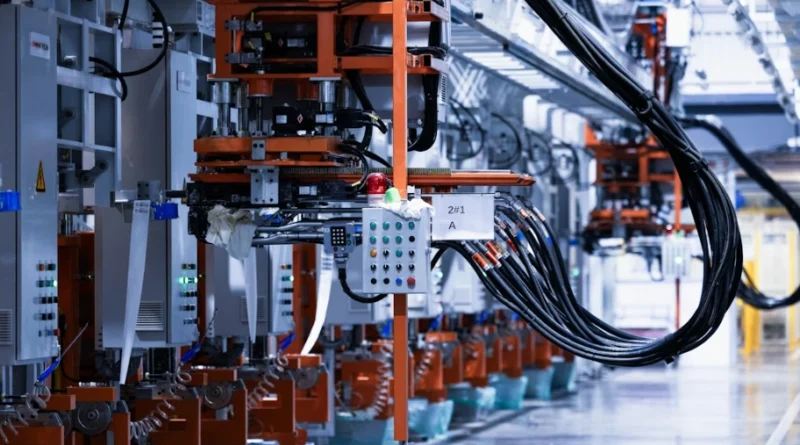
How To Learn CNC Programming For Advanced Precision And Control
What Is CNC Programming and Why Does It Matter for Precision Manufacturing?
CNC programming serves as the main support for today’s exact manufacturing. Think about parts in airplanes, cars, or health tools. They often start as plain blocks of stuff. Machines shaped by simple code instructions turn them into useful items. Learning this skill gives you power over turning computer drawings into real objects. The accuracy reaches tiny levels, like microns. It’s not just about making things. It connects ideas from screens to solid pieces that work in the real world.
Definition and Core Principles of CNC Programming
CNC programming changes computer plans into instructions that machines can read. These steps guide cutting tools on clear routes. The commands say where to go, how quick to cut, and when to switch tools. The setup uses G-code for moving parts. It also uses M-code for extra jobs, like turning on water for cooling or starting the spinning part. Both work together. They help make items the same way every time. This happens with stuff like light metal, hard iron, or mixed materials. When you get good at these instructions, you can direct a machine like an old-school worker. But you do it on a big factory level. In my view, it’s like giving orders to a robot friend who never gets tired.
The Role of CNC Programming in Modern Manufacturing
Today’s factories count on CNC automation a lot. It cuts down mistakes from people. At the same time, it keeps things fast and true to size. With auto paths for tools, you make tricky shapes that hands alone can’t handle well. This works for single test pieces or huge batches. CNC programming offers change without losing good work. It also links the designers and makers. Computer models flow easy from drawing software right into machine action. For example, in a car plant, one change in the design updates the code fast, saving days of rework.
Key Components of a CNC System
A full CNC setup has the cutting machine, a brain that reads the instructions, and programs that make paths from drawings. All parts must match up for even runs. Sensors inside watch spot, weight, and heat right then. They fix things on their own if something goes off. This loop back keeps everything steady, even in long jobs. Picture a mill running for hours on engine parts. The sensors spot a small shift and adjust, so no bad pieces come out.
How Can Beginners Build a Strong Foundation in CNC Programming?
New folks wanting to pick up CNC programming should start with simple ideas. Don’t jump to hard auto setups or fake run areas yet. A clear plan helps. Begin with how to write code, spot points on maps, and try software. This sets up real skill for work later. It’s like learning to ride a bike before a race—take it step by step to avoid falls.
Learning the Basics of G-Code and M-Code Syntax
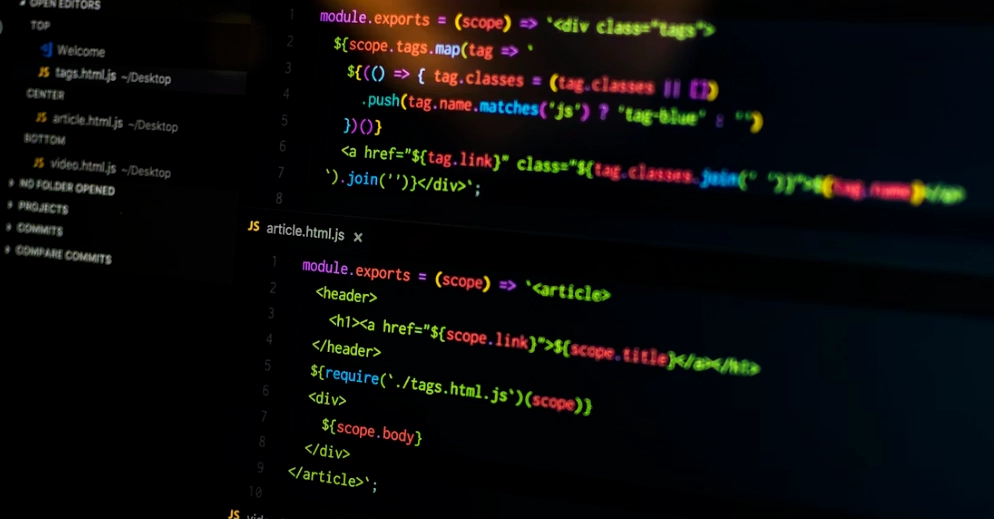
G-code acts as the main talk for moves in CNC setups. Lines like G00 set quick spots. G01 draws straight lines between points. M-codes cover side tasks. For instance, M08 starts the cooling spray. M05 halts the spin. Mix them right, and you rule both the path and the space around the cut. In a basic class, you’d write a short program to drill holes. It feels straightforward once you see it run in a sim.
Understanding Coordinate Systems and Tool Movements
All shifts in CNC follow points on a grid. Some use full spots from a set start. Others add from the last stop. Right shifts keep tools on target to the work piece top. Seeing the tool path in a drawing or test run stops bangs—a big error for newbies who rush. For example, if you forget an offset, the tool might hit the table. Practice with paper sketches first to build that eye.
Exploring Entry-Level Software Tools for Practice
Now, starters get help from no-cost test beds. They let you fake cut without breaking costly gear. Tools like Fusion 360 or school versions of Mastercam help make paths from 3D shapes. You watch how each code bit changes the move. Trying in these spots grows your trust before a real setup. I recall a friend who spent weekends on free software. By month two, he handled his first mill without a hitch.
Which Learning Pathways Are Effective for Developing CNC Expertise?
After you know basic words in code, pick a good road to move from starter to pro. Blend school lessons with home study and real work for even growth. This mix speeds you up. Everyone learns different, but hands-on always wins in the end.
Formal Training Through Technical Institutes or Online Courses
Trade schools give set classes on setup, writing G-code, and better ways to run jobs. Teachers watch over you. Many hand out papers that bosses like. These prove your skill for exact jobs. Web classes add in, with times that fit your life. They still give step-by-step tasks. Say you’re working days; an evening online course lets you learn without quitting your job.
Self-Learning Through Manuals, Forums, and Digital Resources
Books from makers stay key guides. They cover brain functions that wide lessons miss. Web groups like Practical Machinist share tips from others. They fix real issues, from code export glitches to speed tweaks. Video sites show live runs that tie book smarts to shop life. One time, I saw a forum thread solve a sticky feed problem in under an hour—saved a whole shift.
Apprenticeships and On-the-Job Learning Opportunities
Being near pros speeds your path a ton. Shop floors show tough spots like fixing worn tools or lining holds under rush times. Books miss these bits. Programs also teach talking between code writers and runners. That’s key to turn plans into real goods. In an auto shop, you’d learn how a small code change affects the whole line, from setup to finish.
What Tools and Software Are Essential for Advanced CNC Programming Practice?
As you get better, add strong digital helpers. They help hit quicker runs and truer cuts on more directions. Without them, advanced work stays slow and error-prone.
Computer-Aided Design (CAD) Software Integration
Drawing tools make spot-on 3D shapes as the base for all cuts. They let you tweak sizes that change on their own in updates. This saves hours in fix loops. Good match between drawing files and next-step programs stops mix-ups that mess flows. For a bike frame part, CAD lets you adjust angles fast, then send straight to the machine.
Computer-Aided Manufacturing (CAM) Systems for Toolpath Generation
CAM takes shape info from drawings and turns it to run-ready G-code on its own. In these spots, you adjust paths by setting steps or depths. This weighs quick against smooth ends. Test parts inside check moves before sending code out. It’s like planning a road trip—CAM maps the best route to avoid bumps.
Machine Simulation Platforms for Virtual Testing
Fake run areas copy whole cut jobs on your screen. Issues like hits or slow spots show up first. Try different speeds or hold ways without using up stock or breaking tools. Programmers find smarter plans this way. In aerospace, sims catch a 0.1mm error that could scrap a $5000 part.
How Can Programmers Enhance Accuracy and Efficiency in CNC Operations?
Even top workers keep sharpening their ways. Tiny changes bring big wins in exact making. It’s ongoing, like tuning a guitar for the best sound.
Optimization of Cutting Parameters and Feed Rates
Mix spin speed with push rate to get good ends and long tool life. Bits from watchers help set these on the fly in runs. This idea, called smart control, keeps output up and cuts down harm to cutters. In steel work, dropping feed by 10% might double tool use from 100 to 200 parts.
Implementation of Precision Calibration Techniques
Check often to match screen points with real machine lines. This keeps sizes right over time. Light tools beat hand ways for line fixes. They hold close gaps in batch after batch with less redo work. A factory I know uses lasers weekly—tolerances stay under 0.01mm for months.
Continuous Skill Improvement Through Advanced Programming Techniques
Pro coders use short loops for repeat jobs, like milling holes in rows. Add if-then rules in code scripts. For example, stop if spin load gets too high. Link to web watchers for early fix warnings from live data. This cuts surprises. One shop added macros and shaved 20 minutes off each cycle.
Why Is Simulation an Important Step Before Real Machining Begins?
Test runs serve as guard and lesson when going from screen plans to touchable goods. They spot flaws early. Without them, you’re guessing in the dark.
Risk Reduction Through Virtual Validation Processes
Test checks show path fights way before cuts start. Watch each line move slow to check space for holders and bases. This stops wrecks that cost big fixes. In a tight spot, sim might show a 2mm gap issue—easy fix on screen, disaster on floor.
Cost Efficiency Achieved by Preventing Material Waste
Test first drops bad pieces a lot in test stages with many changes. Better orders from sim cut extra moves that slow lines. For prototypes, this saves 30% on stock, especially with pricey titanium.
Enhanced Confidence During Production Setup Stages
When runners see full jobs on screen ahead, setup flows better. All know the order once the button hits. This cuts hours in switches and lifts shop trust. Teams feel ready, like rehearsing a play before the show.
How Can Professionals Continue Advancing Their CNC Programming Skills?
This area changes fast. To keep up, mix with new tech and groups around the world. It’s like staying fit—regular effort pays off.
Staying Updated With Emerging Technologies in Automation
Smart systems now help in CAM by guessing best cut plans from old data. This fits with factory link trends in smart plants. Machines talk across sites for smooth work. AI might pick a feed rate that beats your guess by 15% efficiency.
Networking Within Professional Communities and Associations
Groups like SME link you to others sharing on new tools or fresh ways at yearly meets. These spots keep you fresh in quick shifts. Chatting with a vet at a conference once fixed my macro bug on the spot.
Pursuing Specialized Certifications for Career Growth
Extra papers like multi-way code badges prove skill past basic three-line mills. Bosses worldwide want these for auto pros who mix bots into exact flows. It opens doors to lead roles in big plants.
FAQ
Q1: What’s the best way for beginners to start learning CNC programming?
A: Start with no-cost web testers or school CAM tools. Write easy G-code lines. Then try real machines with a guide watching.
Q2: How long does it take to become proficient at CNC coding?
A: About six months to a year of steady work plus shop time gets you to good middle skill. It depends on what tough stuff you meet.
Q3: Do I need engineering background experience?
A: It’s nice, but lots of good coders come from trade paths. Real think skills count more than school papers at first.
Q4: Which industries rely most heavily on advanced CNC programming?
A: Plane parts with gaps under ±0.005 mm need it bad. Car mold areas make detailed stamps quick at big scales no hand work matches.
Q5: Are simulations mandatory before running production jobs?
A: Yes. They stop high-cost bangs by checking safe spaces on screen first. Skip and you risk gear harm plus lost stuff each time.