
What Makes CNC Router Programs Ideal for Complex VCarve Workflow Analysis
Our Systems Have Detected Unusual Activity Coming From Your System. Please Try Again Later.
CNC router programs are the backbone of precision manufacturing in VCarve-based workflows. They transform digital blueprints into motion commands that guide cutting tools with sub-millimeter accuracy. In Vectric’s ecosystem, these programs enable repeatable, high-quality results for both artistic and industrial applications. The best-suited jobs for such workflows are those requiring detailed surface finishes, layered toolpaths, and adaptive speed control—like cabinetry panels, signage, and 3D reliefs. Experts value this integration because it blends design creativity with mechanical precision.
The Function of CNC Router Programs in Precision Machining
CNC router programs act as the translator between a designer’s intent and a machine’s motion. In a professional environment, they define how each axis moves, how fast the spindle spins, and how deep each cut goes.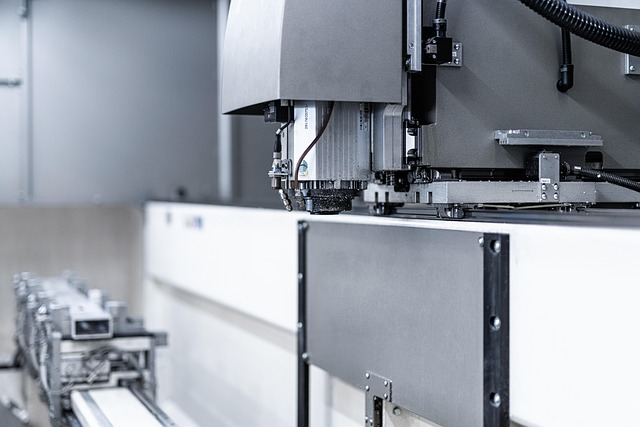
CNC Router Programs Translate Digital Designs Into Toolpaths for Precise Cutting and Carving
A CNC router program converts vector or 3D design data into G-code commands that dictate every movement of the cutting head. This process eliminates manual error while maintaining tight tolerances even on complex geometries like curved moldings or layered engravings.
They Manage Multi-Axis Movements, Feed Rates, and Spindle Speeds to Ensure Accuracy
Multi-axis coordination is critical when machining contoured surfaces or nested parts. By synchronizing axis acceleration with feed rate adjustments, these programs maintain dimensional integrity even under varying material densities.
Integration With Design Software Like VCarve Enhances Workflow Consistency and Repeatability
When linked with VCarve software, CNC router programs gain a structured environment where design layers correspond directly to toolpaths. This alignment reduces setup time and ensures that every iteration of a job matches the original specification.
How VCarve Enhances Complex Routing Operations
VCarve serves as both creative platform and production controller. Its hybrid nature allows designers to visualize complex cuts while machinists manage efficiency through toolpath simulation.
VCarve Simplifies Toolpath Creation for Intricate 2D and 3D Designs
In advanced routing operations, VCarve’s toolpath wizards automate roughing, finishing, and engraving passes. The visual interface helps users preview cut sequences before committing to material removal.
Layer Management Enables Efficient Sequencing of Multiple Operations
Professionals often divide designs into layers for different operations—profiling on one layer, pocketing on another. This method keeps machining order logical and avoids collisions between passes.
Post-Processing Compatibility Ensures Seamless Communication Between Design and Machine Execution
VCarve exports G-code tailored to specific machine controllers through post processors. This compatibility ensures that spindle speeds, coolant commands, and safety stops align perfectly with the router’s firmware.
Core Components of a Complex VCarve Workflow
A robust workflow begins long before pressing “Start.” It starts with clean design data and ends with precise calibration at the machine bed.
Design Preparation and Material Setup
Vector accuracy determines cut quality. Material factors like thickness variation or wood grain direction affect chip load distribution during cutting. Proper zeroing using touch-off probes prevents depth errors that could ruin an entire sheet.
Toolpath Strategy Optimization
Once materials are set up, strategy defines efficiency.
Roughing Toolpaths
Roughing removes large amounts of stock quickly using larger bits. Professionals adjust step-over distance to balance speed against tool wear—too aggressive a pass risks chatter; too light wastes time.
Finishing Toolpaths
Finishing uses smaller tools to capture fine details such as sculpted textures or lettering edges. Correct step-down values minimize surface marks without overloading the spindle motor.
V-Carving Toolpaths
V-carving dynamically changes depth along vector lines to produce sharp internal corners in text or decorative motifs. Depth directly influences line width; shallow passes yield delicate strokes while deeper cuts create bold contrast.
Why CNC Router Programs Are Ideal for Complex VCarve Applications
The pairing of intelligent software with mechanical precision gives manufacturers flexibility once reserved for custom artisanship.
Precision Control Over Multi-Axis Movements
Advanced G-code generation enables synchronized motion across X, Y, Z axes—and sometimes rotary A axes—for compound curves or cylindrical engraving. Micro-tuning acceleration profiles helps maintain tolerance across transitions between straight lines and arcs.
Adaptive Feed Rate Management for Intricate Geometry
Adaptive control adjusts feed rate automatically when entering dense material zones or tight corners. This prevents overheating bits while maintaining smooth motion paths that preserve edge clarity.
Integrating CAD/CAM Data Within the VCarve Workflow Environment
The link between CAD modeling and CAM programming defines overall efficiency in production cycles.
Seamless Transition From Design to Toolpath Generation
Direct import from CAD eliminates redundant conversions that often introduce scaling errors. Once inside VCarve, designers can assign machining operations by color-coded layers—a practice favored in signmaking shops handling mixed materials like acrylics and hardwoods.
Post Processor Configuration for Machine-Specific Output
Every CNC router has unique motion parameters; post processors translate generic paths into machine-specific code formats compatible with its kinematics system or automatic tool changer (ATC) routines.
Analyzing Efficiency Gains From CNC Router Automation in VCarve Workflows
Automation transforms repetitive manual tasks into standardized digital routines that improve throughput without sacrificing quality control.
Reduction of Manual Intervention Through Automation Scripts
Automation scripts within VCarve handle repetitive nesting layouts or bit selection logic based on part geometry. This reduces human error during setup stages where mistakes can be costly in both time and material waste.
Enhanced Repeatability Across Production Runs
Digital templates store not only geometry but also calibration offsets from previous runs. When reused, they guarantee consistent output whether producing one prototype or hundreds of identical panels.
Advanced Techniques for Optimizing VCarve-Based CNC Router Programs
High-end workshops constantly refine their processes using predictive analysis tools embedded within modern CAM systems.
Utilizing Simulation Tools for Predictive Analysis
Simulation previews reveal potential collisions between spindle housing and clamps before physical cutting begins. Time estimation functions provide accurate cycle durations used for quoting jobs or scheduling multiple machines efficiently.
Implementing Multi-Layer Machining Strategies
Layer-based machining offers flexibility when balancing structural stability against production speed during deep cuts or multi-material assemblies.
Sequential Layer Cutting
Sequentially removing material layer by layer maintains rigidity until final passes complete contours—especially valuable when milling thin sheet composites prone to vibration.
Combined Operation Passes
Combining engraving with pocketing in one continuous path shortens setup intervals while preserving registration accuracy across overlapping features like logos embedded within recesses.
Future Directions in CNC Router Programming for Complex Workflows
Innovation continues as digital manufacturing converges with artificial intelligence and cloud collaboration platforms shaping next-generation workflows.
Integration With AI-Assisted CAM Optimization
Machine learning models now analyze vibration sensors or torque feedback from spindles to auto-tune feed rates mid-process—reducing scrap rates by predicting optimal parameters dynamically rather than relying solely on operator intuition.
Cloud-Based Collaboration and Workflow Synchronization
Cloud-connected libraries allow teams across facilities to share updated project files instantly. A designer updating a sign layout in one city can sync revised toolpaths directly to routers elsewhere without file version confusion—a small change but transformative at scale in distributed production environments.
FAQ
Q1: What type of projects benefit most from cnc router programs using VCarve?
A: Jobs involving detailed engraving, layered relief carving, cabinetry joinery, or signmaking gain the most from integrated workflows due to repeatable precision across multiple runs.
Q2: How does adaptive feed rate improve machining safety?
A: It automatically slows tool movement when encountering dense areas or sharp turns, preventing breakage while maintaining consistent surface finish quality.
Q3: Why is post processor customization important?
A: Each CNC model interprets code differently; customizing ensures proper spindle start commands, safe retract heights, and correct ATC sequence execution specific to that machine’s hardware configuration.
Q4: Can simulation completely replace test cuts?
A: No simulation perfectly mirrors real-world conditions like grain variation or humidity effects; however it significantly reduces risk before actual machining begins by flagging geometric conflicts early on.
Q5: How will AI change future cnc router programming?
A: AI will likely automate parameter tuning based on live sensor input, making machines self-corrective during operation—improving consistency even across variable materials without operator intervention.