
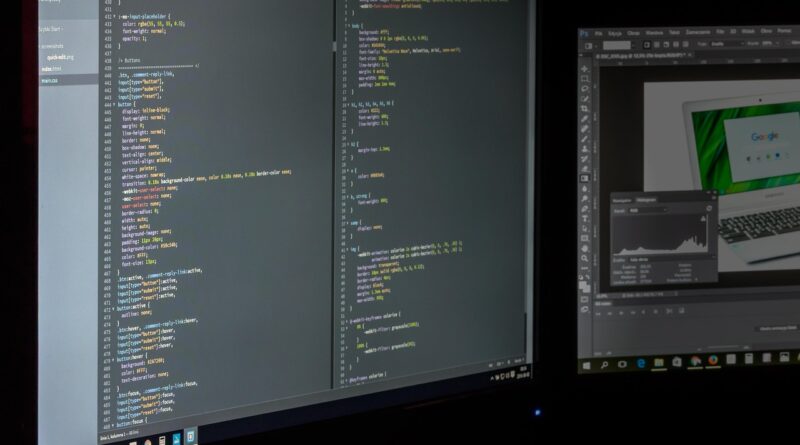
Can C++ CNC Programming Beat Traditional G-Code for Custom Automation?
What Does C++ CNC Programming Really Mean?
On a real shop floor, c++ cnc programming does not mean you load C++ straight into a Fanuc, Haas, Siemens, or LinuxCNC control and expect chips to start flying. In most cases, you use C++ to create, check, edit, or manage CNC programs before they go to the control. The file at the machine is still usually G-code, ISO code, or a controller-specific NC file. That separation is useful because the machine keeps reading a known format, while the shop gets a better way to handle repeat jobs and common rules.
G-Code Is Still the Machine Language
ISO 6983-1:2009 defines a program format and address words for numerical control machines used in positioning, line motion, and contouring. The ISO record lists the standard as published in December 2009 with 26 pages. The goal is simple enough: reduce program differences, make programming methods more consistent, and help programs move between machines of the same class. It is not exciting work, but it matters when different people and machines are involved. Source: ISO, ISO 6983-1:2009, record accessed July 2026.

C++ Builds the Logic Around the Code
C++ is a general-purpose programming language, standardized as ISO/IEC 14882:2024. The ISO record describes it as based on C and extended with classes, templates, exceptions, namespaces, references, and library facilities. That toolset is useful for rules, geometry math, file handling, and quick checks. In CNC work, C++ usually sits around the NC file, not inside the cutting blocks that the control runs.
A Simple Shop Floor Example
Think about a bracket family with 18 sizes, two hole patterns, and three stock thicknesses. A CAM system can handle that work, no question. But if the part only changes by length, width, and hole spacing, a small C++ generator can write G81 drilling blocks, a facing routine, and a final profile from a few inputs. The operator still proves out the first file, checks the setup, and watches the first run. The value is not some special trick. It is fewer manual edits late in the day, when a missed minus sign or wrong hole value can get expensive.
Why Use C++ Instead of Only Writing G-Code?
Handwritten G-code is still clean and fast for short jobs. Most machinists can read it, fix it, and know what the machine is about to do. The problem shows up when the same logic is repeated across many part numbers. C++ helps when the shop needs rules, checks, version control, and the same output every time. It does not replace process knowledge; it removes dull arithmetic from the keyboard.
Repeated Families of Parts
For parametric work, C++ can keep dimensions, fixture offsets, tool lists, safe planes, and feeds in one place. If a hole moves from 38 mm to 42 mm, you change one value and regenerate the NC file. That does not remove the need for proper tool engagement, workholding, and chip control. It does lower the chance that one G-code line gets changed while three related lines stay wrong.
Controller Dialects and Post Rules
Most shops learn early that G-code is not one fully portable language. LinuxCNC documentation says its G-code language is based on RS274/NGC, and that a line, or block, contains words made from a letter and a value. It also notes that G and M codes carry machine functions. The catch is that real controllers add their own cycles, macros, limits, and habits. C++ can store those post rules in code, instead of leaving them in one programmer’s memory.
Cleaner Checks Before the Machine Runs
A validator written in C++ can scan for missing units, unsafe rapid moves, wrong work offsets, or a tool number that does not match the setup sheet. This is not a replacement for simulation, backplotting, or a dry run. It is only the first gate. If the file says G21 but the job traveler says inch stock, the program should stop before the operator gets near cycle start.
Where Can C++ Fit in a CNC Workflow?
C++ fits best between design intent and machine-ready code. It can generate simple toolpaths, translate formats, validate output, or connect NC files with a production system. The better use cases are often narrow and plain. That is not a bad thing in manufacturing. Plain jobs that repeat well are the jobs that ship on time.
Toolpath Generators for Parametric Work
For rectangles, hole grids, grooves, engraving text, tube notching patterns, or fixture plates, a controlled generator can be more consistent than manual editing. You feed it part dimensions, and it can output an NC file, setup note, and maybe a tool list. Reliable public data showing a fixed cycle-time saving from C++ generators across all shops was not found, and that should be said clearly. Cycle time still depends on machine power, toolpath style, material, fixturing, coolant, and operator practice.
File Parsers and Program Validators
The NIST RS274/NGC Interpreter report, published in 2000, describes an interpreter that reads numerical control code and produces canonical machining function calls. NIST states that the software was written in C++ and that its output could be used for 3-axis to 6-axis machining centers. That is a useful public example of C++ working as CNC infrastructure. It is not shop-floor G-code, but it helps handle the code before the machine cuts.
Machine Data and Digital Thread Tools
C++ can also sit inside a digital thread. It can read job data, pick the correct post rule, name the NC file, attach revision data, and record which generator version made the file. NIST research on STEP-NC and AP238 looked at portability of five-axis tool-center programs, including Boeing and NIST validation work. For a shop, the lesson is practical: machine-independent intent is useful, but the final controller behavior still has to be checked on the real machine and setup.
How Should You Design a Safe C++ CNC Tool?
A CNC generator is not just another desktop tool. A bad output file can scrap a casting, break a spindle, or drive a tool into a vise jaw. Good design starts with limits and boring rules. The tighter the process window, the easier the tool is to test and trust.
Start with a Narrow Process Window
Do not start with the goal of generating any milling program. Start with something like a bolt-circle drilling file for this machine, this fixture, these tools, and these materials. Give the software hard allowed ranges: minimum hole spacing, maximum depth, allowed tools, safe retract height, work offset, spindle range, and feed limits. If an input value falls outside the range, the tool should fail closed and write no NC file.
Treat Modal State as Real Risk
Modal G-code is useful because a setting stays active until another command changes it. That same behavior can also cause trouble. The NIST RS274/NGC report lists modal groups such as motion, plane selection, distance mode, feed rate mode, units, and cutter radius compensation. One wrong active setting can change the whole job. A C++ generator should write a clear preamble every time, including units, plane, absolute or incremental mode, feed mode, cutter comp state, and work offset.
Keep Operators in the Approval Loop
Software should make the operator’s review easier, not hide it. Output a short header with part number, revision, material, tool list, stock size, fixture note, and generator version. A second person should be able to read the first 20 lines and understand what the file is meant to do. In many shops, the best safety check is still a machinist at the control asking, “Why is Z going there?” See also: CNC Machining.
What Does Good C++ Code for CNC Output Look Like?
Good CNC-related C++ code is plain, testable, and easy to follow. Clever structure will not save a bad setup. Clean units, clear names, and repeatable tests matter more than tricks. If a new programmer cannot trace how an X value reached the final NC block, the tool is already harder to maintain than it should be.
Units, Coordinates, and Strong Types
Mixing inch and millimeter values is one of the old ways to ruin a part. Use strong types or clear wrappers for units, coordinates, feed rates, spindle speed, and tool numbers. A function that expects millimeters should not accept a raw double with no label. This is one area where C++ is helpful. Classes and templates are not just school examples; they can stop a 0.375 inch value from slipping into a millimeter routine.
Templates for Hole Patterns and Fixtures
A good generator uses templates for proven patterns: linear holes, bolt circles, pocket roughing boundaries, probing points, engraving locations, and fixture offsets. Keep the NC output readable for the people who stand at the control. Some shops like compact files, while others want more comments. Either way, every generated block should have a reason. If the machine stops, the operator should not have to solve a software puzzle before making a safe decision.
Clear Logs for Every NC File
Every generated program should leave a small audit trail: input values, tool table version, post rule version, date, time, and warnings. If a customer asks why two batches are different, the log can answer faster than someone’s memory. It also helps with improvement work. You can compare tool wear, cycle notes, and program revisions without digging through folders named final2 and final2-new. Most shops have seen those folders, and nobody misses them.
When Is C++ CNC Programming Not the Best Choice?
C++ is useful, but it is not the answer to every CNC problem. Sometimes a CAM system, a manual edit, or a controller macro is faster and safer. The choice should follow the job type, risk, and staff skill. It should not come from the urge to build new software for its own sake.
One-Off Jobs Need Fast CAM
If you are cutting one prototype with odd faces and last-minute model changes, CAM usually wins. The programmer can adjust leads, links, stepovers, rest machining, and tool holder clearance on screen. Writing C++ for that one job may take longer than machining the part. For one-off work, getting to a safe first article often matters more than reusable software.
Complex Surfaces Need Proven Toolpath Kernels
Five-axis impellers, mold cavities, turbine parts, and medical contours need proven toolpath engines, collision checks, and simulation. C++ can still help with file checks or automation around the job. Writing a full multi-axis toolpath kernel is a serious software project, not a side task. Public standards and research show where CNC data is going, but they do not remove the need for machine-specific verification.
Maintenance Skills Matter More Than Clever Code
If only one person can change the generator, the shop has a real risk. Use readable code, tests, comments, and simple build steps. Store it in version control, and document the exact controller assumptions. A small, well-kept C++ tool that generates three proven part families can beat a large internal system that nobody wants to touch.
FAQ
Q1: Can C++ Run Directly on a CNC Machine? A: Usually no. Most CNC controls run G-code, ISO code, conversational cycles, or vendor-specific formats. C++ normally creates, checks, or manages those files before they go to the machine.
Q2: Is C++ Better Than G-Code for CNC Programming? A: It depends on the job. G-code is better for direct machine commands. C++ is better for repeatable logic, file generation, validation, and automation around CNC programs.
Q3: Do You Still Need CAM If You Use C++ CNC Programming? A: Yes, in many cases. CAM is still the safer choice for complex 3D surfaces, multi-axis work, collision checking, and visual toolpath control. C++ works best beside CAM, not always instead of it.
Q4: What Is the Biggest Risk in C++ Generated CNC Code? A: The biggest risk is hidden bad logic that creates a valid-looking NC file. Unit mistakes, unsafe rapids, wrong modal states, and bad fixture assumptions should be blocked by strict checks and operator review.
Q5: What Is a Good First C++ CNC Programming Project? A: Start with a narrow generator for a proven part family, such as hole patterns, fixture plates, engraving, or simple drilling cycles. Keep the output readable, test every limit, and prove the first program carefully.