
Is CNC G90 the Key to Accurate Design Validation in SOLIDWORKS
CNC G90 Cycle. Are You Using It?
CNC G90, the absolute positioning command, remains one of the most critical codes in precision machining. It defines every coordinate from a fixed origin, making it indispensable for design validation and repeatable accuracy. For professionals using SOLIDWORKS in CNC workflows, G90 ensures that what’s modeled digitally translates precisely to the physical part. The consistent reference framework reduces cumulative errors and supports automated verification processes. In short, if dimensional integrity and traceability matter, then yes — you should be using G90.
Understanding CNC G90 and Its Role in Modern Machining
CNC programming relies on a structured language of G-codes to control machine movement. Among these, G90 defines how a machine interprets coordinates relative to its origin. It directly influences how every toolpath is generated and executed.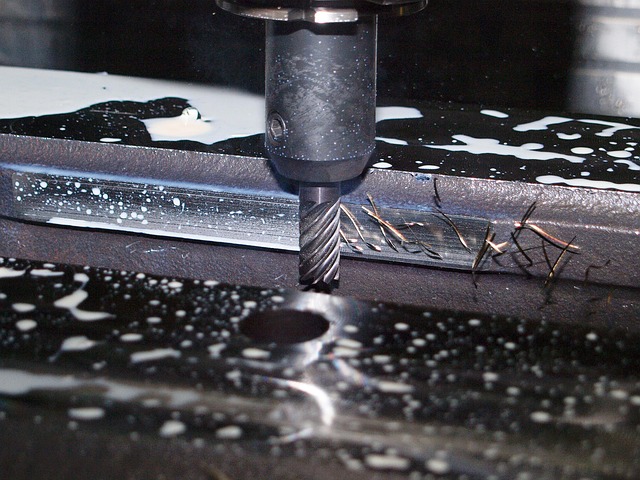
Defining CNC G90 in the Context of G-Code Programming
G90 stands for absolute positioning. When active, all coordinates are measured from a single fixed point — typically the program’s zero or work offset origin. Unlike incremental moves that depend on previous positions, absolute commands eliminate ambiguity. For example, if X50 Y25 is called under G90 mode, the tool moves exactly to those coordinates relative to zero, regardless of its current location. This approach simplifies debugging and guarantees repeatable accuracy across multiple setups.
How G90 Interacts with Other CNC Commands
G90 often pairs with its counterpart, G91, which operates in incremental mode. Switching between them mid-program requires caution; otherwise, toolpaths can shift unexpectedly. A common practice is to explicitly call out either command at each program section’s start to avoid mode confusion. Advanced controllers even include safety macros that verify mode consistency before executing motion blocks.
Error Prevention Strategies When Integrating G90 in Complex Toolpaths
When machining multi-axis parts or transferring operations between machines, maintaining absolute references is vital. Errors occur when fixture offsets or work coordinate systems aren’t synchronized with the CAD model’s origin. To prevent this, engineers document reference points within both CAM software and setup sheets. Many shops also simulate toolpaths under strict G90 logic before running production cycles.
The Connection Between SOLIDWORKS and CNC Programming
Bridging CAD geometry and CNC code involves several translation layers — from modeling to toolpath generation to post-processing. SOLIDWORKS plays a central role by defining geometric intent that drives downstream manufacturing accuracy.
Translating CAD Geometry into CAM Toolpaths
SOLIDWORKS models provide exact geometry for CAM systems to interpret into machine instructions. These systems convert surfaces and edges into tool motions defined through commands like G90 for absolute coordinates. Maintaining geometric fidelity during export ensures that part dimensions remain consistent throughout manufacturing.
Integration of SOLIDWORKS with CNC Post-Processing
Post-processors transform CAM outputs into machine-readable code tailored for specific controllers such as FANUC or Siemens. Configuring these post-processors correctly determines whether commands like G90 are implemented properly in the final program file. Misconfigured settings can lead to incorrect motion scaling or reversed axes — issues that surface only during machining if unchecked.
The Role of Simulation Tools in Verifying Code Accuracy Before Machining Execution
Before any metal is cut, simulation tools inside SOLIDWORKS CAM or third-party software validate tool movements under real-world constraints. They visualize how absolute positioning interacts with fixtures and stock models, flagging potential collisions or over-travel conditions early in the process.
The Impact of Using CNC G90 on Design Validation Accuracy
Absolute positioning contributes directly to quality assurance during design validation by ensuring every operation references the same spatial frame.
Ensuring Dimensional Consistency Through Absolute Coordinates
With G90 active, each motion command returns to a predictable coordinate system anchored at zero. This stability minimizes cumulative deviations across multiple machining stages such as roughing, finishing, and drilling. As a result, tolerance verification becomes more reliable because all measurements relate back to one consistent reference plane.
Reducing Human Error During Toolpath Setup and Execution
Operators benefit from simplified setups since they no longer interpret relative moves manually. Programs written with clear absolute coordinates are easier to review line by line without guessing prior positions. That clarity reduces setup time and prevents costly rework due to misinterpreted offsets.
Supporting Automated Validation Workflows by Providing Predictable Motion Paths
Automated inspection systems such as CMMs rely on known coordinate frameworks identical to those used during machining. Because G90 preserves this consistency, inspection data can be mapped directly back onto digital models without transformation errors.
Applying CNC G90 Principles Within SOLIDWORKS Workflows
Integrating absolute positioning logic within SOLIDWORKS workflows strengthens traceability from design through validation stages.
Setting Up Coordinate Systems for Accurate Validation
A master coordinate system should align with the design intent defined in SOLIDWORKS’ model origin. Synchronizing this origin with machine work offsets ensures seamless communication between virtual geometry and physical setup under G90 control. Reference planes within the model serve as checkpoints for verifying alignment during simulation and inspection.
Simulating Absolute Positioning in SOLIDWORKS CAM Environments
Running virtual machining simulations allows engineers to confirm that all programmed movements follow absolute paths without unintended shifts or rotations. During these tests, deviations greater than tolerance thresholds trigger warnings before production begins — saving both material cost and spindle hours.
Comparing Simulated Results Against Design Tolerances for Validation Approval
Once simulations complete successfully, results are compared against nominal dimensions specified within SOLIDWORKS drawings or PMI annotations. Any detected variance indicates either an incorrect offset definition or an error introduced during post-processing translation.
Advanced Strategies for Precision Validation Using CNC G90 in SOLIDWORKS
Beyond standard workflows, advanced users combine parametric modeling capabilities with precise coordinate control for higher-level validation feedback loops.
Combining Parametric Modeling with Absolute Positioning Logic
Parametric relationships inside SOLIDWORKS allow direct linking between model parameters and corresponding toolpath coordinates defined under G90 logic. If a dimension changes at the design level, updated CAM paths automatically reflect new absolute values — maintaining full traceability throughout revisions.
Implementing Quality Control Feedback Loops Based on Absolute Data Points
Coordinate measurement machines capture actual part geometry relative to the same reference system established by G90 programming. These measurements feed back into CAD databases where deviations are analyzed statistically across batches, refining both tooling strategies and tolerance definitions over time.
Overcoming Challenges When Integrating CNC G90 into SOLIDWORKS Validation Processes
Despite its advantages, integrating absolute positioning into complex workflows introduces challenges related to coordinate management and software compatibility.
Managing Coordinate System Conflicts Between CAD and Machine Setup
Discrepancies often arise when fixture origins differ from model origins defined inside SOLIDWORKS files. Engineers must reconcile these differences using work offsets while preserving global references under G90 rules. Failure to do so may result in mirrored parts or misplaced features even when code syntax appears correct.
Addressing Software Compatibility and Postprocessor Limitations
Not all postprocessors interpret advanced absolute positioning instructions uniformly across different controller brands. Customization may be required so that each axis follows intended scaling factors without rounding errors introduced by numeric truncation during code generation.
FAQ
Q1: What does CNC G90 mean?
A: It specifies absolute positioning mode where all coordinates reference a fixed origin rather than incremental distances from previous points.
Q2: Why is CNC G90 important in machining?
A: It maintains consistent spatial references across operations which improves repeatability and reduces cumulative error buildup during multi-step processes.
Q3: How does SOLIDWORKS use CNC G90?
A: In SOLIDWORKS CAM workflows, toolpaths derived from 3D geometry employ absolute coordinates so machine output matches digital design intent precisely.
Q4: Can switching between G91 and G90 cause problems?
A: Yes; abrupt transitions without resetting reference points may shift motion unexpectedly leading to dimensional inaccuracies or collisions.
Q5: How can engineers verify correct use of CNC G90?
A: Through simulation inside CAM environments followed by inspection comparison using CMM data aligned with the same coordinate framework applied during programming.