
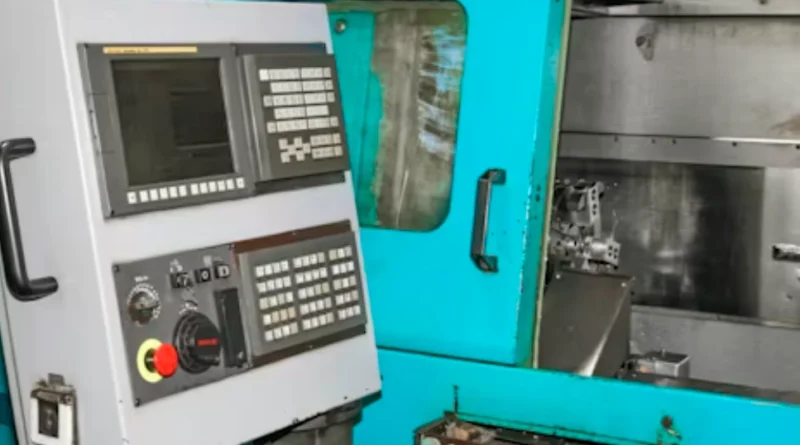
What Makes A Simple G Code Program Efficient For CNC Precision
What Defines Efficiency in a Simple G Code Program?
A basic G code program forms the base of CNC machining. It turns design ideas into exact machine actions. Efficiency here means more than just quick speed. It involves a good mix of movement, correctness, and easy reading. In real work, smart programming decides if a part works well or wastes machine time. Look at a well-planned sequence. Each line has a clear job. There is no extra stuff. Nothing is too much.
Optimization of Tool Paths and Motion Control
Tool path planning starts the path to efficiency. The main aim is to cut down on unneeded trips. At the same time, keep the tool working with the material. Take a square pocket as an example. A good program uses steady outlining moves. It skips broken straight lines. This cuts air time. It also avoids sudden turns. As a result, you lower the time for each cycle. Plus, it reduces wear on parts. In busy making lines, saving just two seconds per piece adds up. It can free up hours each week. I recall one shop where they fixed this on a batch of 500 parts. The total time dropped by over an hour, and tools lasted longer too.
Reduction of Redundant Commands and Syntax Simplification
Extra repeats often slip into G code. Programmers add modal commands again without need. If G01 for straight moves is on, calling it each time does nothing useful. It just slows the system a bit. Simple wording speeds up the run. It also makes fixing problems easier for workers. Neat code helps controllers with small storage handle steps better. This small point matters a lot on old equipment. Think about a typical day in a small workshop. Clean code means less downtime when something goes wrong.
Balance Between Precision and Execution Speed
Correctness and quickness need to work together. Feeds that push too hard can cause shakes or tool bends. If too slow, output falls fast. The best match fits the material’s toughness, tool shape, and finish needs. Commands like G02 and G03 make smooth curves. They beat chopped straight lines. This boosts rightness and surface quality. It does so without adding time. In one case I heard about, a team switched to arcs on a curved bracket. The finish improved, and the cycle stayed the same length.
How Does Command Selection Influence CNC Precision?
Each command in a basic G code program matters a lot. The choice between straight or round moves, full or step-by-step spots, shapes how well the machine reads the shape.
Appropriate Use of Linear and Circular Interpolation
Straight interpolation with G01 links points in lines. It suits boxy parts. Round interpolation via G02 or G03 draws arcs with math exactness. Arcs beat fake line pieces. They stop small steps on bent areas. They also shrink file size. Fewer lines describe the outline. For instance, on a round flange, true arcs give a clean edge without those tiny bumps you see from lines.
Effective Implementation of Positioning Commands
Full mode with G90 and step mode with G91 set how spots are read. Wrong mixes lead to building mistakes or off spots over tool paths. Drilling setups often use step moves for even gaps. Outlining gains from full spots for steady size control. One time, a mix-up in modes shifted a whole row of holes by 0.5 mm. It took hours to spot and fix.
Utilization of Rapid Positioning for Non-Cutting Movements
Quick moves with G00 shift the tool between cuts. They do this without touching material. Right use cuts empty time a ton. But it calls for safe Z-height to dodge crashes. Many skilled workers add guard levels before fast shifts. This guards the part and tools. In tight setups, like milling slots near edges, that extra clearance saved a few close calls in my experience.
Why Is Program Structure Important for Machining Accuracy?
Program layout serves as the main support for steady machining jobs. A solid basic G code program uses clear steps. These match the real steps, from start to last passes. This brings steady results over many runs.
Logical Sequencing of Operations
Jobs should move in a natural order. Do rough cuts first, then fine ones. Drill before milling edges. This order skips tool clashes. It keeps outcomes the same when you reuse or change programs later. Skipping this can lead to odd results, like a rough pass messing up a fine one.
Consistent Unit and Plane Selection
Units with G20 or G21 pick inch or metric scales. Planes via G17, G18, or G19 set directions for XY, XZ, or YZ work. Wrong picks cause size wrongs or surprise tool paths in multi-way shifts. Always check at the start. Inconsistent units once turned a 10 mm hole into 0.4 inches—nearly scrapped the batch.
Proper Return-to-Home Procedures
Commands such as G28 send axes back to start spots safely. They do this after cuts or tool swaps. Without good home steps, tools begin next jobs from odd places. This risks harm to holders or lost parts. It’s a simple habit that prevents big headaches.
What Role Does Feed Rate Control Play in Program Efficiency?
Feed rate handling links right to surface good and machine life. In a basic G code program, feeds set how fast tools work material in different spots.
Adaptive Feed Rate Adjustment Based on Material Type
Each material needs its own cut speeds and feeds. Aluminum takes faster feeds than tough steel. This comes from its soft nature and easy chip flow. Smart systems change feeds on the fly. They use info from sensors or spindle power. For example, in aluminum, you might run 200 ipm, but drop to 50 for steel to avoid breaks.
Integration of Constant Surface Speed for Turning Operations
Steady surface speed keeps even cut pace on shifting sizes in turning. This evenness betters texture on round parts. It also lengthens tool life by cutting heat at thin spots. On a lathe job, CSS helped one shop get mirror finishes without extra passes.
Synchronization Between Spindle Speed and Tool Path Velocity
Matching spindle turns with feed speed stops shakes. Shakes happen when spins don’t fit feed beats. Good match gives even finishes and longer bearing life. Poor sync once caused chatter marks on a long shaft, adding rework time.
How Can Parameterization Enhance Flexibility in Simple Programs?
Parameter setup changes fixed programs into flexible guides. They adjust to new part sizes or numbers without full rewrites. This saves time in changing jobs.
Use of Variables for Repetitive Operations
Variables let you set sizes once. Then use them many times. For example, #100 = 50 sets hole gaps. Change that one number, and all spots update. It’s great for tweaks. In a series of panels, varying the variable cut setup time by half.
Implementation of Subprograms for Modular Design
Subprograms with M98 and M99 make reusable parts. They fit repeated drills or pocket forms in part groups. This builds like blocks. One sub for a bolt circle saved coding hours across ten variants.
Conditional Logic for Process Adaptation
Simple if or while checks allow on-spot choices. They base on sensor data or counts. For instance, halt if tool wear hits limits. This adds smarts without complexity. In high-run jobs, it prevents waste from dull tools.
Why Does Code Readability Affect CNC Performance Over Time?
Easy-to-read code brings gains long after setup. It cuts mix-ups in fixes or changes. This boosts shop work over years. Sometimes, a quick glance saves a shift.
Simplified Syntax for Operator Interpretation
Workers often tweak feeds or shifts during runs. Clear wording lets them act sure. It avoids wrong reads that spoil costly material. Short lines and plain terms help most.
Clear Commenting Practices for Maintenance Clarity
Notes in parentheses explain goals. Like “(Rough pass leaves 0.5mm stock).” They guide later coders on old choices. Without them, debugging takes extra steps. Good comments once helped a team fix a lingering issue in under 10 minutes.
Consistent Formatting Standards Across Programs
Same spacing and labels ease team work. They share machines over shifts or sites. Even small habits build faith in code steadiness. Uniform style cuts errors in handoffs.
How Do Simulation and Verification Contribute to Efficiency Assurance?
Before starting on pricey stock, simulation acts as a guard. It spots hidden errors in code lines you miss at first. This step is key, especially with new software tweaks.
Virtual Testing Before Machine Execution
Simulators copy machine moves in virtual space. You find code faults or over-reach risks without harm. It’s vital after CAM updates. One virtual run caught a tool crash that would have bent a $200 part.
Verification Against CAD Models for Dimensional Accuracy
Match sim paths to first CAD shapes. This checks if outlines fit plans within allowed gaps. It’s must-do for tight fields like plane parts, where tiny bits count. Verification saved a prototype from wrong dimensions once.
Continuous Feedback Integration from CNC Controllers
New controllers track gaps between planned and real spots. Study this info to better next codes. It shows wear patterns or delay in axes. Feedback from one machine led to axis tune-ups that cut errors by 20%.
FAQ
Q1: What makes a simple G code program efficient?
A: Efficiency comes from minimizing redundant moves, using logical sequences, balancing feed rates with precision needs, and maintaining clean syntax that’s easy for both humans and controllers to interpret.
Q2: How does interpolation affect machining quality?
A: Using circular interpolation instead of segmented lines yields smoother surfaces by following true arc paths rather than approximations that leave micro-step marks.
Q3: Why should you use variables in programming?
A: Variables reduce manual edits by letting one parameter change propagate through all related operations automatically—ideal when adjusting part dimensions frequently.
Q4: What benefits come from simulation before running code?
A: Simulation detects syntax errors, collision risks, or incorrect tool motions early so adjustments happen digitally instead of damaging physical setups later.
Q5: How does clear commenting improve performance over time?
A: Comments preserve intent behind commands so future operators quickly grasp logic flow during troubleshooting or process optimization phases without reinterpreting every move line by line.