
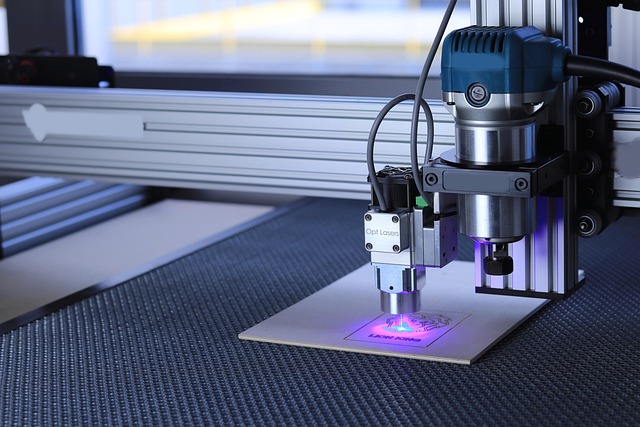
Can A CNC Wood Machine Efficiently Build Large Cabinets On A Small Router
How To Make Big Cabinets On A Small CNC Router
Producing large cabinets on a small CNC wood machine is entirely possible with strategic planning and modular thinking. The key lies in dividing big tasks into manageable sections, using tiling and indexing to extend cutting areas, and refining toolpath planning to maintain precision. With the right CAD/CAM setup, workflow automation, and smart material handling, even a compact router can deliver professional-grade cabinetry. The process demands technical discipline but rewards efficiency and cost control for small workshops aiming to scale production without immediate investment in industrial equipment.
Assessing the Capabilities of a CNC Wood Machine for Large Cabinet Projects
Before cutting begins, it’s crucial to measure how far a small CNC router can go in handling oversized cabinet components. Machine geometry, spindle performance, and rigidity all define what can be achieved without compromising accuracy or surface quality.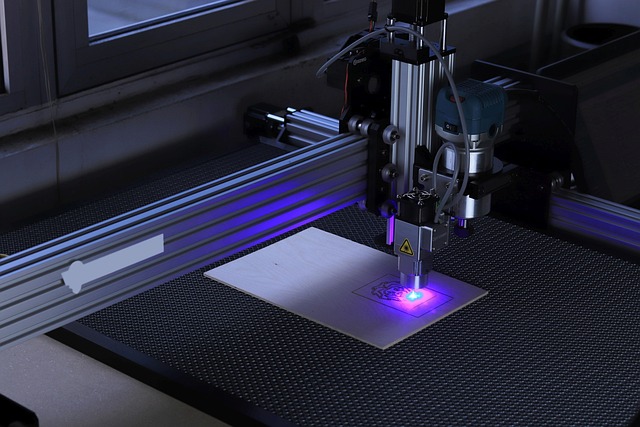
Evaluating the Physical Limitations of Small CNC Routers
A compact CNC wood machine typically offers limited table size and gantry clearance, restricting the maximum workpiece dimensions. For instance, a 600×900 mm bed cannot accommodate full 4×8 ft sheets directly. Axis travel—especially along the Y-axis—determines how much of a large panel can be machined in one setup. Spindle power also matters; lower horsepower units may struggle with hardwoods or thick plywood when deep cuts are required. Rigidity plays a role too: lighter frames often introduce vibration that affects edge finish during long toolpaths.
Determining Feasibility Based on Project Requirements
The feasibility of producing large cabinets depends on matching design complexity with router capacity. Flat-pack designs with straight cuts suit smaller machines better than curved or sculpted panels requiring extended reach. Operations such as pocketing or drilling shelf pin holes fit within limited workspaces if toolpaths are sequenced efficiently. Production efficiency must balance against dimensional constraints—sometimes it’s faster to segment parts than force oversized setups that risk misalignment.
Strategies for Producing Large Cabinets Using a Small CNC Router
Once physical limits are clear, the next step is adopting creative manufacturing techniques that expand the router’s usable area without sacrificing precision.
Modular Design and Sectional Fabrication Techniques
Dividing cabinet components into smaller sections allows each piece to fit within the machine’s working envelope. These sections can later be joined using dowels or cam-lock connectors for precise alignment during assembly. Many shops employ CAD/CAM nesting strategies that arrange multiple small parts on one sheet to reduce waste and tool travel time. This modular approach not only fits small routers but also simplifies finishing and transport.
Tiling and Indexing Methods for Oversized Panels
Tiling extends machining beyond the bed size by repositioning material across indexed points. The operator machines one section, slides the sheet forward, then continues seamlessly from where it left off. Accurate indexing holes or fences maintain cut alignment between passes. Toolpaths must be carefully planned so that each tile overlaps slightly, preventing visible seams after assembly. Managing multiple machining zones effectively is essential to avoid cumulative errors over long panels.
Optimizing Toolpath Planning and Workholding Solutions
Efficient toolpath planning reduces repositioning errors and machining time. Vacuum tables provide strong hold-down for flat panels, while clamps or custom jigs secure irregular shapes during tiling operations. Feed rates should match spindle speed to prevent tear-out or burning on plywood edges. Consistent surface quality across multiple sections depends on maintaining identical cutting parameters throughout all setups.
Enhancing Efficiency Through Software and Workflow Optimization
Digital tools amplify what small machines can achieve by simulating complex operations before material ever touches the spindle.
Leveraging Advanced CAD/CAM Features for Scalable Projects
Parametric modeling helps designers adapt cabinet dimensions to fit machine limits automatically—changing one variable updates all related parts instantly. Toolpath simulation highlights potential collisions or travel overflows before cutting begins, saving costly materials from errors. Repetitive operations like hinge recesses or dado grooves can be automated through macros or templates, reducing manual programming time across projects.
Integrating Workflow Automation in Small-Shop Environments
Small workshops benefit from coordinated digital workflows linking design to production directly through shared databases or fabrication software. File management systems track revisions so that any design change cascades through nested layouts instantly. Nesting algorithms optimize material yield by arranging parts efficiently on available stock sheets, minimizing both waste and machining time—a critical factor when operating within tight budgets.
Material Handling and Assembly Considerations for Large Cabinets
Even perfectly cut pieces require careful handling to preserve accuracy during transitions between machining stages and assembly.
Managing Large Panels in Limited Workspaces
Supporting oversized sheets in confined spaces demands creativity. Roller tables beside the router help move heavy panels smoothly without deflection at unsupported ends. Auxiliary supports keep material level during tiling operations to maintain Z-axis consistency across cuts. Sequencing cuts wisely—starting from interior features before perimeter trimming—reduces unnecessary repositioning between setups.
Precision Assembly After Machining on a Small Router
After machining modular components, accurate alignment becomes essential for professional results. Mechanical fasteners like dowels or cam-lock systems guarantee repeatable positioning during dry-fit tests prior to final gluing or screwing. Dimensional verification at this stage prevents cumulative error when assembling multi-section cabinets. Once assembled, edge banding hides seams while hardware installation completes structural integrity without visible compromise.
Evaluating Productivity, Accuracy, and Cost Implications
Assessing outcomes provides insight into whether scaling production with a small CNC wood machine remains sustainable over time.
Comparing Output Quality Between Small and Large CNC Machines
Industrial routers deliver tighter tolerances thanks to heavier frames and higher spindle speeds; however, well-calibrated small machines can still achieve ±0.1 mm accuracy suitable for cabinetry work. Surface finish consistency may vary slightly between tiled sections but remains acceptable after sanding or finishing coats. The trade-off lies mainly in setup time—smaller routers demand more repositioning but yield similar precision if maintained properly.
Cost-Benefit Analysis of Scaling Cabinet Production on a Small Router
Operating costs hinge on material yield, labor hours spent repositioning panels, and tooling wear rates from repeated passes over dense materials like birch ply. For low- to mid-volume production runs, continuing with a small router often proves economical compared with outsourcing large-format machining services. Yet once order volumes grow beyond weekly throughput capacity, upgrading equipment becomes practical for sustained profitability and reduced lead times.
FAQ
Q1: Can a small CNC wood machine cut full-size cabinet panels?
A: Not directly; operators use tiling methods or modular designs to divide large panels into smaller sections suitable for the available table size.
Q2: How accurate are tiled cuts compared with single-pass machining?
A: When proper indexing points are used and calibration is maintained, tiled cuts can achieve nearly identical accuracy within ±0.1 mm variance across seams.
Q3: What software features help manage large projects on small routers?
A: Parametric modeling, nesting optimization, and toolpath simulation allow scalable design adjustments while preventing travel overflows during machining.
Q4: Is vacuum hold-down necessary for cabinet production?
A: It improves safety and cut quality significantly by preventing panel movement during long toolpaths but can be replaced by clamps if vacuum systems are unavailable.
Q5: When should a workshop consider upgrading its CNC router?
A: Once project volume consistently exceeds daily cycle capacity or when larger panels require excessive manual repositioning that slows output efficiency drastically.