
How SolidWorks CNC Enhances Design Validation in Precision Machining
Design Validation with SOLIDWORKS: CNC Machining
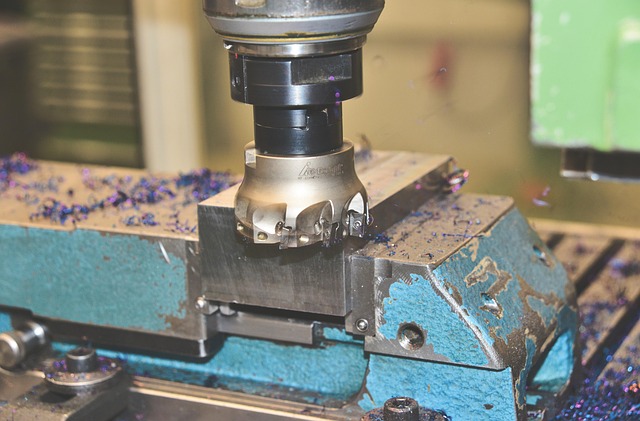
In precision manufacturing, design validation defines the difference between a concept and a production-ready component. SolidWorks CNC integration bridges that gap by linking CAD design, simulation, and machining within one digital environment. This unified workflow shortens iteration cycles, reduces rework, and improves part accuracy. For manufacturers dealing with tight tolerances or complex geometries, SolidWorks CNC transforms data continuity into measurable performance gains. Its parametric modeling and CAM integration allow engineers to move from virtual prototypes to verified toolpaths without losing fidelity. The outcome is a more predictable and efficient validation process across every stage of production.
Integration of SolidWorks CNC in Precision Machining Workflows
SolidWorks has become central to how modern workshops combine design intelligence with machine precision. The software’s ability to integrate directly with CNC systems eliminates many of the translation errors that once slowed down production.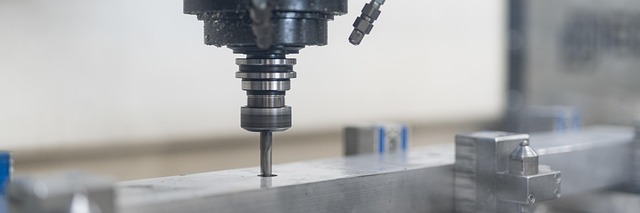
The Role of SolidWorks in Modern CNC Environments
SolidWorks provides a unified platform for design, simulation, and manufacturing. Integration with CNC systems ensures seamless data transfer from CAD to CAM. Parametric modeling supports iterative design refinement without data loss. Engineers rely on this connectivity to maintain consistency between modeled geometry and machined output, particularly when producing high-tolerance aerospace or medical components.
Streamlining the Transition from Design to Manufacturing
Associative modeling links part geometry directly with machining operations so that any dimensional change automatically updates toolpaths. Automated toolpath generation minimizes manual programming errors common in legacy systems. Real-time synchronization between design updates and machining instructions enhances productivity by keeping both designers and machinists aligned on the latest revision.
Enhancing Design Validation Through Simulation and Analysis
Simulation tools within SolidWorks CNC help verify manufacturability before material is cut. This digital-first approach prevents costly mistakes while providing insight into part behavior under real-world loads.
Virtual Prototyping for CNC Machining Accuracy
SolidWorks Simulation allows stress, deformation, and tolerance analysis before machining begins. Virtual testing identifies potential issues such as tool deflection or thermal distortion that can affect final tolerances. By reducing the need for physical prototypes, teams save both time and material costs while improving first-pass yield rates.
Toolpath Verification and Collision Detection
Integrated CAM modules enable dynamic simulation of toolpaths within the same environment used for design. Collision detection prevents tool crashes and fixture interference by visualizing machine movements in real time. Visualization of cutting sequences validates manufacturability at an early stage, which is especially valuable for multi-axis operations where spatial awareness is critical.
Parametric Control and Design Iteration Efficiency
Parametric control lies at the core of SolidWorks’ efficiency in CNC workflows. It allows designs to evolve rapidly without disrupting downstream manufacturing processes.
Leveraging Parametric Models for Rapid Adjustments
Design parameters can be modified without recreating entire models or toolpaths. This flexibility ensures consistency between design intent and machining results even when specifications shift late in the project cycle. Quick adaptation to tolerance changes or customer revisions becomes possible without compromising geometry integrity.
Managing Revision Control in Complex Assemblies
Version tracking within SolidWorks PDM maintains data integrity across distributed teams working on shared assemblies. Revision management ensures traceability of design changes through the CNC process chain so machinists always work from current data sets. Communication between engineers and operators improves because every update propagates through linked references automatically.
Precision Optimization Through CAM Integration
The integration of CAM inside SolidWorks has reshaped how manufacturers tune precision at scale. It introduces adaptive strategies that respond intelligently to geometry complexity and material properties.
Adaptive Machining Strategies for High-Tolerance Components
SolidWorks CAM supports adaptive clearing and high-speed machining techniques tailored for high-tolerance components like turbine blades or orthopedic implants. Toolpath optimization algorithms improve surface finish while maintaining dimensional accuracy across multiple axes. Machine-specific post-processors translate geometry into G-code precisely suited for each controller type.
Material-Specific Machining Validation
Simulations account for material behavior under cutting conditions—aluminum requires different feeds than titanium due to heat dissipation differences. Feed rate and spindle speed optimization are validated digitally before production runs begin, helping reduce scrap rates by confirming parameters within a controlled virtual setup rather than during live cutting.
Collaborative Validation Across Engineering Disciplines
Validation is no longer confined to individual departments; it spans mechanical design, process engineering, and quality assurance simultaneously through shared digital infrastructure.
Synchronizing CAD/CAM Data for Multi-Axis Operations
Multi-axis synchronization ensures accurate validation of complex geometries where tool orientation continuously changes during machining. Shared databases allow simultaneous access by design, manufacturing, and quality teams so that feedback loops close faster during prototype-to-production transitions.
Quality Assurance Integration within SolidWorks CNC Workflow
Measurement data from CMM systems can be fed back into the CAD model for validation loops that confirm GD&T compliance directly against nominal geometry. Closed-loop inspection ensures manufactured parts meet geometric dimensioning standards consistently across batches. Continuous feedback drives incremental improvement in both programming strategy and part accuracy over time.
Future Directions in Design Validation Using SolidWorks CNC Technologies
Emerging technologies are expanding what validation means inside digital manufacturing ecosystems—automation, AI analytics, and digital twins are moving from concept to daily practice.
Automation and AI-Assisted Validation Tools
Predictive algorithms now identify potential machining errors before execution by analyzing historical performance data from previous jobs. Machine learning models refine toolpath strategies dynamically based on spindle load patterns or vibration readings captured during earlier runs. These intelligent validation insights embedded within the SolidWorks ecosystem enhance engineering decision-making beyond traditional rule-based checks.
Expanding Digital Twin Capabilities in Precision Machining
Real-time digital twins replicate machine behavior during validation stages using live sensor feedback from CNC machines themselves. This continuous refinement loop strengthens predictive maintenance planning while improving process stability over long production cycles. As factories adopt Industry 4.0 frameworks guided by ISO 23247 standards on digital twin implementation, such integration will likely become standard practice across precision manufacturing environments.
FAQ
Q1: How does SolidWorks CNC improve communication between designers and machinists?
A: It connects CAD models directly with CAM instructions so any change made in design automatically updates machining paths, reducing miscommunication across departments.
Q2: What benefits does simulation bring before actual machining?
A: Simulation detects stress points, deformation risks, or collisions early so manufacturers avoid costly trial-and-error prototyping phases.
Q3: Can SolidWorks handle multi-axis machining validations effectively?
A: Yes, its integrated environment synchronizes multi-axis motion paths allowing accurate visualization of complex geometries before production starts.
Q4: How do AI tools influence future validation workflows?
A: AI-driven analytics learn from past operations to predict potential tool wear or programming inefficiencies ahead of time, improving reliability across projects.
Q5: Why is digital twin technology significant for precision machining?
A: Digital twins mirror machine behavior in real time using sensor input; this helps engineers fine-tune operations continuously while ensuring consistent output quality over extended runs.