
Why Alphacam Software Dominates Router And Wood CNC Workflows
The Strategic Role of Alphacam in Modern CNC Workflows
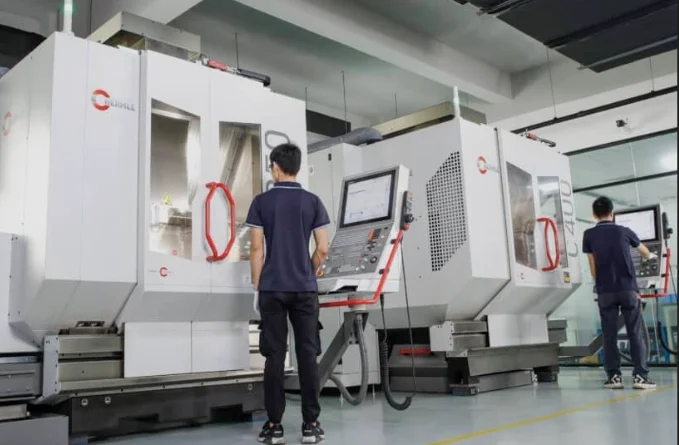
As factories push further into digital setups, Alphacam software keeps shining as a key player in CNC-based work. It’s more than just a CAM tool. It links design goals with machine accuracy. For teams handling routing, wood, or stone jobs, Alphacam’s easy adjustments and add-on parts make it far beyond a basic programming helper. It turns into a real part of the shop’s overall plan. Think about a busy workshop where routers churn out custom cabinets day after day. Alphacam helps smooth out those daily tasks, cutting down on errors and speeding things up.
Positioning Alphacam in the CNC Software Landscape
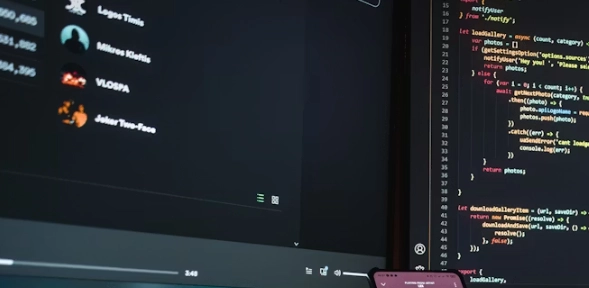
Alphacam started as a focused CAM system for routing. Over time, it grew into a complete package that tackles tough machining jobs in various fields. This change matches how shops today want tools that manage basic 2D nesting and tricky 5-axis shaping all in one place. You can run Alphacam on different machine controls like Fanuc, Siemens, and Heidenhain. And you won’t face any matching problems.
When you stack it up against other CAM options like Mastercam or Fusion 360, Alphacam’s fit for routing stands out. Its process feels less stiff. Shops can tweak post-processors and set up automatic steps for common jobs. This kind of bend makes it better in places where machines vary but steady results matter most. For instance, a small team with old and new routers can keep everything running smoothly without constant headaches.
The Core Architecture That Supports Complex CNC Operations
Alphacam’s base setup is built in pieces. You can set it up for wood cutting one day. Then switch to stone work the next without starting over or changing software versions. Each part—routing, milling, turning—uses the same screen setup. But it changes its tools to fit the needs of different materials.
Tools for parametric design help create shapes automatically. They use details like part size or material thickness. Pair that with scripting options via VBScript or Python APIs. You can make half-automatic processes that cut down on hand work. The toolpath math focuses on both quick runs and saving material. It figures out cutter angles to cut waste low. At the same time, it keeps feed rates working well. In practice, this means less scrap on the floor, which saves money over a full production run—say, turning a stack of plywood sheets into parts with almost no leftovers.
Alphacam’s Dominance in Router Applications
Routing is the area where Alphacam software really leads. The tool has grown up with the wood trade’s move to digital making and batch custom work. It’s like the reliable old truck in a fleet—handles the heavy lifting without fuss.
Advanced Toolpath Strategies for Routing Efficiency
Today’s routers call for plans that mix right cuts with good speed. Alphacam backs changing roughing ways that tweak tool pressure on bumpy spots. Nesting tools make sure sheet plans fill every bit of space smartly. This counts a lot with pricey covers or mixed materials.
In big operations with multi-head routers or auto tool swaps, Alphacam lines up the spindles. So several parts get cut at once. And there’s no worry about crashes. Its preview mode shows toolpaths ahead of time. This lets you spot bad cuts or skipped spots early. Picture a shop floor where a wrong move could ruin a whole sheet—Alphacam’s sim catches that before the spindle spins.
Integration with CAD and Design Systems
Alphacam links well with CAD programs like AutoCAD and SolidWorks. It pulls in files such as DXF, DWG, and STEP right away. Linked shapes mean if a design shifts upstream—like a hole size changes—the CAM info updates on its own. No need to redo everything from zero.
Custom macros let you code repeat routing steps. Think drilling for hinges or shaping panel edges over many tasks. In packed shops making loads of like parts each day, these quick sets save hours. It’s the kind of thing that keeps the team from burning out on boring repeats.
Precision Woodworking Through Alphacam’s Specialized Modules
Wood work needs exact cuts beyond basic outlines. It covers joint fits and grain-aware plans that boost looks as much as strength. Alphacam’s wood-focused parts handle this with care.
Tailoring Alphacam for Joinery and Furniture Production
Special joinery tools deal with mortise-and-tenon fits, dovetails, dowel spots, and panel cuts right in the router section. Cabinet builders lean on input-based patterns. These auto-build body setups from width or height numbers.
Material lists hold info on grain flow and wood weight. So toolpaths run along lines that cut tear-out on tough woods like oak or maple. These touches count when finish quality sets a brand apart in furniture making. For example, a high-end table leg cut wrong could show ugly splits, but Alphacam guides the path to keep it clean.
Enhancing Productivity in Custom Wood Fabrication
In one-off shops where jobs vary a bit, tying Alphacam to ERP or MRP keeps schedules matched to live shop data. When a router job ends, return info updates material use on its own. So stock levels stay right without typing it all in.
Cut plans check orders to shrink leftover bits. They still keep each piece strong. This mixes green aims with solid build needs. Over a year, that could mean thousands of dollars in saved wood, plus less waste heading to the dump.
Expanding Capabilities into Stone and Composite Machining
Stone jobs bring fresh hurdles. Gritty stuff wears tools fast. And you must watch feed speeds close to avoid breaks or chips.
Adapting Alphacam to Hard Material Processing
For granite or marble cuts, Alphacam has path plans that set step gaps for diamond bits. Waterjet tie-ins let mixed setups run. Rough forms come from waterjets first. Then routers add fine lines using the same file.
Crash checks matter big here. Deep stone shapes risk spindle hits if space isn’t checked in sims ahead. It’s a real saver—I’ve heard stories of shops dodging big repair bills thanks to that feature.
Cross-Material Workflow Management
A big plus of Alphacam software is handling jobs with mixed stuff in one go. Like wood doors with metal bits or plastic tops with stone inlays. Common patterns keep shapes steady. Post-run steps stay the same across teams. Workers taught on one type can switch materials easy. No big relearn needed. This setup shines in places making hybrid products, where one file covers it all without mix-ups.
Automation, Scripting, and Customization in Alphacam Environments
Auto steps aren’t just nice extras. They’re must-haves when growing output without more staff.
Leveraging Macros and API Extensions for Process Control
With VBScript auto tools, you set custom cut orders kicked off by job details from outside lists. Say an order calls for “oak panel 18mm.” Alphacam picks the right bits and speeds from set rules auto.
Coders add more through plug-ins via API links. This could mean hooking up code readers for job tags or pulling in outside nesting helpers right in the screen. In a real shop, this might cut setup time from 30 minutes to under 5, letting the team focus on the fun stuff.
Data Connectivity Across Digital Manufacturing Ecosystems
Current plants rely on linked info flows, not lone computers. Alphacam talks in open types like DXF and XML. So CAM details move easy into MES or PLM setups. Full-circle checks happen when machine feedback tweaks next paths based on tool wear seen in runs.
This connectivity isn’t perfect yet—sometimes data lags in big networks—but it beats the old paper trails. Shops using it report fewer surprises on the floor.
Future Directions: Scalability and Smart Manufacturing Integration
The coming push in digital making will center on smarts. Machines will learn from info, not fixed codes. And Alphacam software is gearing up for that change already. It’s exciting to see, though we’ll need to watch how it plays out in everyday use.
Adapting Alphacam for Industry 4.0 Workflows?
Industry 4.0 stresses machine links via IoT watchers. They send live run stats to main screens. In this setup, Alphacam can read spindle strain to guess fix times before breaks hit. That’s a step to ahead-of-time care over fix-after fails.
Cloud sharing lets coders build or tweak paths from afar. Operators get fresh guides right at the machine. This helps spread-out plants across sites. Imagine a team in one city designing while another cuts in real time—smooth as can be, if the internet holds up.
Sustainability and Efficiency Through Software Intelligence?
Green ways go beyond saving stuff now. They cover power use too. Smart math in Alphacam software plans cut lines to trim empty spindle waits or extra quick moves that burn power high. Waste checks per run give bosses views on scrap rates. So they can tune nesting over batches for better earth-friendly goals.
It’s not all smooth—some older machines don’t play nice with these smarts—but the gains add up. A shop might drop energy bills by 15% just by rerouting paths smarter.
FAQ
Q1: What industries benefit most from using alphacam software?
A: It serves woodworking, metal fabrication, stone processing, plastics manufacturing, and composite machining sectors equally well due to its modular configuration options.
Q2: Can alphacam handle both 3-axis and 5-axis operations?
A: Yes, it supports everything from simple 2D contouring up to full simultaneous 5-axis machining within one unified environment.
Q3: How does automation improve productivity in Alphacam?
A: Through scripting languages like VBScript that automate repetitive programming tasks based on job parameters pulled from databases or ERP systems.
Q4: Is Alphacam suitable for small workshops?
A: Absolutely; smaller shops benefit from customizable modules allowing them to start with basic routing functions then expand into advanced automation as they grow.
Q5: What makes alphacam software different from other CAM platforms?
A: Its strength lies in adaptability—seamless integration across materials and machine types combined with deep customization through scripting make it uniquely versatile among CAM solutions today.