
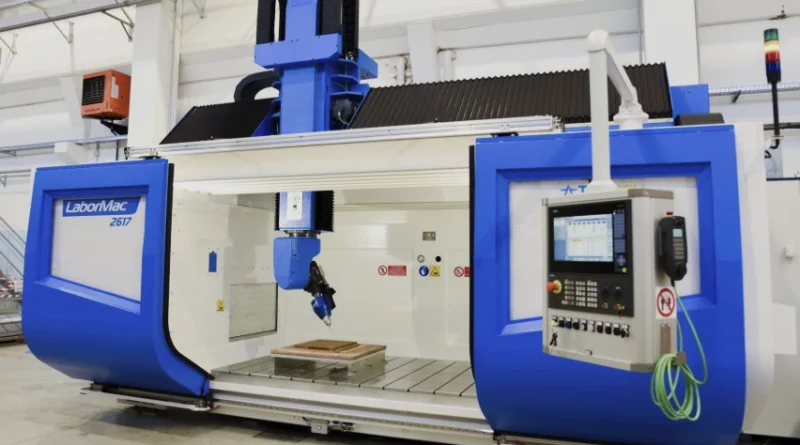
How CNC Program Optimization Enhances Toolpath Strategy Efficiency
CNC Program Optimization: How Toolpath Strategy Reduces Cycle Time Without Hurting Quality
CNC program optimization goes beyond just cutting a few seconds from a cycle. It focuses on doing that without harming surface finish, size accuracy, or tool life. When you tweak toolpath strategies, you can often see big wins in productivity. And quality stays the same. In places where precision matters a lot, small changes in feed rate control or how the tool engages can lead to real money savings over big production runs. I’ve seen shops where these tweaks add up fast, especially with repeat jobs on aluminum parts.

What Is CNC Program Optimization?
CNC program optimization means improving the code and machining plan that guide a CNC machine’s actions to boost efficiency. It looks at things like feed rates, spindle speeds, stepovers, and types of toolpaths. The goal is to cut down on time when the tool isn’t cutting and ease stress on tools and machines.
In real work, this involves changing how the cutter travels through the material. It could be outlining a mold cavity or roughly shaping a block of metal. You aim for quicker results with less wear. For example, you might try adaptive clearing for roughing aluminum pieces. Or switch from basic back-and-forth milling to trochoidal paths for tough steels. Each option impacts how chips form, how the machine moves, and the final surface look. Sometimes, in my experience, trochoidal paths feel smoother on the machine, like it’s gliding instead of jerking.
The Role of CAM Software in Optimization
Today’s CAM systems, which stand for Computer-Aided Manufacturing, are key in CNC program optimization. They let you test toolpaths on a computer before touching real metal. You can spot crashes ahead of time. Plus, they tweak feeds based on the tool’s angle of contact. These tools help avoid overloads in deep cuts. They also keep chip thickness steady.
Take dynamic milling strategies, for instance. They can shorten cycle times by as much as 40% over old-school pocketing. At the same time, they stretch tool life by cutting down on heat. This kind of help from software doesn’t replace what skilled people know. It builds on it. Engineers get better facts about what’s going on right at the cutting edge. In one case I recall, a shop used this to fix a hot-running tool on titanium, saving them from constant swaps.
How Does Toolpath Strategy Influence Cycle Time?
Toolpath strategy is a strong way to improve cycle time in CNC machining. It shapes how your cutter travels. That includes entry spots, turns, pull-backs, and shifts between cuts. All this decides how well material gets removed.
A bad path design leads to lots of starts and stops. The machine speeds up and slows down often. That wastes seconds on each pass. If you have hundreds of steps in a tricky part, those seconds turn into hours lost per batch. But a smooth, steady path with little empty air moves keeps things flowing. It cuts total time on the job. Think about a complex mold—grouping cuts close together can shave off 10-15 minutes easy.
Adaptive Toolpaths vs Traditional Milling
Adaptive or high-efficiency milling paths hold steady tool contact by changing stepovers as needed. This lets you push feed rates higher without going over safe cutting limits. Old ways use set stepovers. They can cause quick jumps in load at corners or small curves.
For one thing, moving from a straight-line pattern to an adaptive spiral can drop cycle time by 25 to 50%. It varies with how hard the material is and how tricky the shape. The main point is keeping chip thickness even. That ties right into using less power and making tools last longer. In practice, I’ve noticed this works best on pockets with islands—avoids those nasty deflections.
Shorter Non-Cutting Moves
People often miss the time spent on non-cutting actions. That’s like quick moves between parts or pulling back for tool swaps. By planning better approach lines or ordering steps smartly, you group close features together. This skips extra travel time. Some top controllers even shuffle G-code lines on their own to shorten distances between cuts. It’s like giving the machine a shortcut map, and it really pays off in high-volume work.
How Can You Reduce Cycle Time Without Sacrificing Quality?
You must cut cycle time without losing surface strength or size precision. The trick is to balance things. Push feeds where you can. But keep things steady in final passes.
One way is through feed rate tweaks. It uses info from sensors or computer tests to change speeds as the job runs. You don’t stick to one slow feed for every shape. Instead, adjust based on curves or chip needs right there. This not only speeds up the work but makes results more even. The tool faces steady push all along. Many new controllers have “look-ahead” features. They figure best speed-up plans a few code lines early. And honestly, once you dial this in, the machine sounds happier—less chatter.
Feed Rate Optimization
Feed rate optimization pulls in real-time data from sensors or sims to adjust speeds on the fly during cuts. Rather than a fixed slow feed for all shapes, variable control matches speed to local bends or chip loads.
This method speeds up cycles. It also boosts evenness because the cutter gets uniform force on its path. Plenty of current controllers come with built-in look-ahead tools. They work out the best ramp-up patterns several G-code lines in advance. In a real shop setting, say on a vertical mill doing slots, this can mean going from 10 minutes to 7 without a hitch.
Tool Wear Management
Cutting cycle time ties closely to handling tool wear well. Fast feeds look good at first. But they dull tools too soon if you don’t match them with coolant flow or depth changes. Watching spindle load patterns spots when tools weaken. Then you swap before quality slips.
For instance, going from no coolant to minimum quantity lubrication, or MQL, can make carbide end mills last 30% longer. This lets you run quicker feeds. And scrap stays low. I’ve heard from machinists who swear by MQL on stainless—it keeps edges sharp without flooding the floor.
What Are Common Mistakes in CNC Program Optimization?
Even pros make slips when pushing programs too hard. One big error is just bumping up feed rates. But they forget machine strength limits or shake risks at some spin speeds.
Another issue hides in post-processing steps. Tiny code format glitches can leave marks from pauses or uneven moves that rough up the surface. Always check the output with a backplot sim before running on live machines.
Shops sometimes skip solid fixturing when hunting fast cycles. Yet any tiny shift under quick starts kills repeat accuracy quicker than bad code ever would. In one story from a trade show, a guy wrecked a batch because his vise loosened just a hair—lesson learned the hard way.
How Do You Evaluate the Success of an Optimized Program?
To check if an optimized program works, mix numbers with eye checks. Watch for shorter total cut time per piece, lower average spindle load, better tool hours per edge, and sizes holding to specs.
Compare old and new runs side by side. It shows clear wins. CAM software with digital twins lets you test in virtual space first. That saves real machine time and tool costs.
Measure surface roughness, like Ra value, for a hard fact. If Ra stays the same after changes and time drops a lot, your plan probably hit the mark without cutting quality. From what I’ve seen in audits, shops that track this weekly see steady gains over months.
FAQ
Q1: What software tools help with cnc program optimization?
A: Strong CAM setups like Mastercam, Siemens NX CAM, or Fusion 360 offer sim tools for checking contact angles and feed shifts before real cuts start. They make the whole process less guesswork.
Q2: Does adaptive milling always reduce cycle time?
A: No, not every time. It hinges on the part’s shape and material. Adaptive paths often trim roughing time a good deal. But finishing steps might only improve a bit because of tight precision needs. For flat surfaces, it’s a winner; curves, less so.
Q3: Can feed rate optimization damage tools?
A: Yes, if you mess it up. It might stress edges on quick turns. But good sims make sure speed limits stay safe across all moves. Just test small batches first to be sure.
Q4: How much cycle time reduction is realistic?
A: You can usually cut 20% to 50%, based on starting sloppiness. Programs coded by hand often save more than ones already smoothed by CAM. In old-school shops, I’ve seen 60% jumps, but that’s rare.
Q5: Why doesn’t every shop invest in cnc program optimization?
A: Some skip it over training costs or worry about messing up routines. But savings from less wear and quicker output beat those hurdles soon enough. Plus, with free trials of software now, it’s easier to dip a toe in.