
What Makes GRBL Controller Software Essential for Precision CNC Experts
The Core Role of GRBL Controller Software in CNC Precision Work
CNC machining plays a big part in today’s factories. It focuses on exactness and doing things the same way each time. Many small and medium CNC setups use GRBL controller software at their center. This is a simple but strong firmware that turns digital orders into machine actions. If you know a lot about CNC control, you need to see how GRBL works. You also should learn how various interfaces improve what it does. This knowledge helps get steady accuracy and better work flow.
The Function of GRBL in CNC Systems
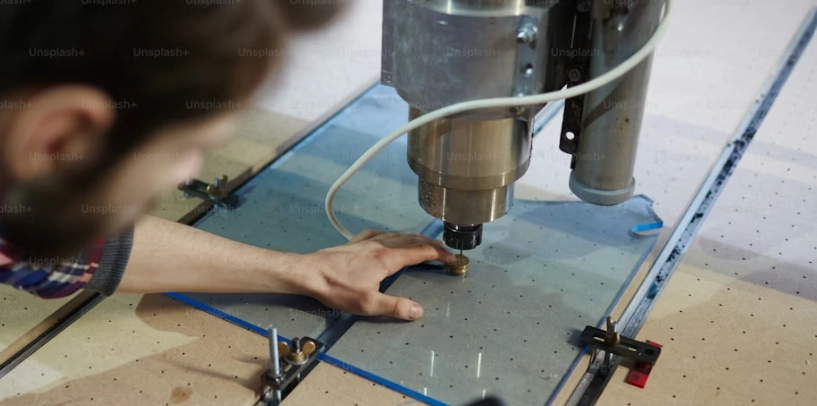
GRBL works as the firmware that reads G-code commands. It changes them into signals for stepper motors to move. It acts like the brain of the CNC machine. It lines up movements on different axes and handles spindle tasks with good exactness. Since it’s open-source, you can adjust it to fit your hardware. This could be an Arduino Uno or a board you made yourself. Such changes let workers set speed limits, feed speeds, and timing for steps. You do this without changing the main code.
For example, in a shop cutting small parts, GRBL helps keep everything on track. It fits well for milling, engraving, and cutting jobs where tiny details count. You might aim for accuracy down to less than a millimeter. Its small size makes it great for desktop routers or laser engravers on a table. These need solid control but not big factory power. The open-source side means the community keeps making it better. This keeps it working with new machine types over time.
Why Controller Software Is Critical for Accuracy and Workflow Efficiency
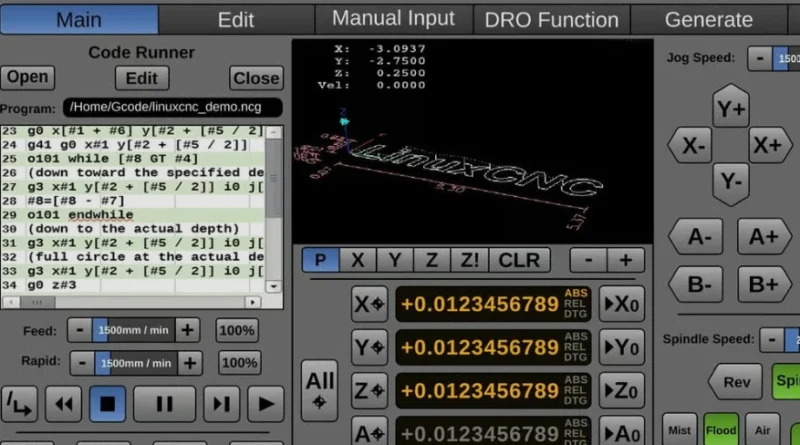
The controller software links your computer’s CAM output to the machine’s real work. It handles talks over serial lines with the firmware. It lines up commands in a queue and gives updates on position and status right away. In tough paths, like 3D shapes or digging out areas, this link must flow without stops. Otherwise, you get jerky moves or skipped steps.
A good interface cuts down wait times between sending orders and seeing action. Picture cutting a detailed shape fast. Even a tiny delay of seconds can mess up sizes. Smart controllers match all axes just right. They keep movements smooth and curved well. This affects how the surface looks and how long tools last.
From my time watching shops, I’ve seen how a slow controller can ruin a batch of parts. It adds stress and waste. So, picking one that runs quick really pays off in daily runs.
Comparing Leading GRBL Controller Interfaces
Different GRBL controller interfaces offer their own good points based on what you need in your work. Some focus on steady running for making lots of items. Others stress changes you can make or ways to control from afar. Knowing these differences helps pick the best one for your CNC setup.
Universal Gcode Sender (UGS) – Stability and Simplicity in Operation
Universal Gcode Sender gets praise for being dependable. It uses Java, so it works on Windows, macOS, and Linux. You don’t need hard setup steps. UGS aims for a steady space that’s good for doing the same job many times. Think batch engraving or milling circuit boards.
It has macro support. This lets you set up common steps like finding home or swapping tools with one button. The built-in visualizer shows paths before you start. That’s key when using costly materials or needing close fits. If you want steady work over lots of changes, UGS is a solid pick. In one project I recall, a team used it for days straight without a hitch.
cncjs – Web-Based Flexibility and Remote Control Capabilities
cncjs does things through a web browser only. This setup lets you check from any device on your network. It’s a big plus if your shop has several machines or spots spread out.
Built on Node.js, it lets skilled users add plugins or their own parts. You get real-time views of paths, spindle speeds, and job steps. In teams where more than one person needs to look in at once, cncjs gives great ease. It keeps control sharp without losing that. I once saw a small factory use it to watch a laser job from the office next door. Saved a ton of walking around.
Candle – Lightweight Design Focused on Direct Machine Interaction
Candle draws in people who like basic and straight talks with their hardware. Its simple look cuts down time to get going. This suits hobby folks or tiny shops with small routers or laser cutters.
The preview window shows paths in pictures before you cut. It helps spot mistakes early. Candle’s easy buttons let you move axes by hand or change speeds while working. You don’t dig through big menus. It lacks fancy script tools, but it shines in fast starts and steady daily use. For quick fixes on a weekend project, it’s hard to beat.
bCNC – Advanced Features for Experienced Machinists
bCNC shines with many tools for pros who want more than simple controls. It uses Python, so you can change it a lot with scripts and macros. This fits labs or places making prototypes where you need to adjust often.
It has strong probing steps for auto leveling the bed or lining up work based on sensors. Tools inside help set stepper details like speed ramps or sudden stops with fine control. It takes more time to set up than easy ones like Candle. But for skilled workers, bCNC gives top control over every part of the job. In precision work, like making tiny gears, those extras make a real difference.
Evaluating Performance Factors Across GRBL Controllers
How well GRBL controllers perform often ties to how quick they respond and if they fit your setup. Not so much on basic power, since they all use the same firmware base.
Interface Responsiveness and Real-Time Feedback Quality
How fast the interface reacts decides if it handles quick moves or packed G-code well. Some hold commands better in buffers. This keeps motion even when the load gets heavy.
Updates in real time, like tracking where you are or checking spindle turns, spot problems right away. You catch issues before they cause harm. A quick interface leads to better surfaces. It stops small halts that might show as marks on the work.
Think of running a high-speed cut on aluminum. A laggy controller could cause waves in the finish. Good ones keep it smooth, like glass.
Compatibility with Hardware Configurations and Firmware Versions
Not all controllers match every GRBL version or board the same way. For example, UGS works best with regular Arduino Uno and GRBL 1.x. Meanwhile, bCNC might do better on custom boards with extra inputs, like switches for coolant or spindles that take PWM signals.
Things like controlling spindle speed or moving axes smoothly depend on the design. So, pairing the software with your gear gives the best results in all tasks. I’ve heard stories from users who switched boards and had to tweak settings for hours. Matching early saves that headache.
Enhancing Precision Through Software Customization and Calibration Tools
Making changes in the software matters a lot for getting the same accuracy in different jobs.
The Role of Macros, Scripts, and Probing Functions in Fine-Tuning Accuracy
Macros handle repeat actions, like setting axes to zero after tool swaps. This cuts down errors from hand work in setup. Probing steps make alignment better by finding surface levels exactly before starting. It’s super useful in milling PCBs, where a 0.1 mm slip can ruin the board.
Scripts in stronger controllers let you build workflows that change settings based on what sensors say. This method shows up more in making very small parts, where allowed errors are tiny. In one case, a maker used probing to level a warped wood piece, turning a potential scrap into a good cut.
Data Logging and Visualization for Process Optimization
Logging data turns basic info from runs into useful tips on feed speeds or shakes during cuts. Picture overlays of real paths versus planned ones help find issues like loose parts or skipped moves. You fix them before losing time or materials.
Looking at logs over weeks lets you tweak speed plans and balance spindle loads for each material. Tailor it to your setup. For instance, cutting soft plastic needs different settings than hard steel. Logs show exactly why one works and the other doesn’t.
Integrating GRBL Controllers into Modern CNC Workflows
Today’s shops mix open-source ease from GRBL with closed CAD/CAM systems from big companies. This mix gives freedom for trying new things and the exactness for selling stuff.
Updates from the community keep GRBL fresh as new chips come out. You get fast fixes for bugs and growing add-ons. These go beyond desk programs to smart factory setups. They handle checks from afar or plan fixes before breaks happen. It’s like having a team of helpers always updating your tools.
Key Considerations When Selecting a GRBL Controller Software Solution
Picking the right GRBL controller software means weighing how hard it is against your skills. Also think about keeping it running long-term, like how often it updates and if docs are clear.
Matching Software Capabilities to Machine Complexity and User Expertise Level
For jobs with many axes working together or auto probing, tools like bCNC offer the room you need. They have scripts and check modules. But for basic machines, something simple like Candle works better. It skips big setups and keeps things steady in normal work.
Users new to this might start with Candle and move up as they learn. Pros often stick with bCNC for its depth. It all depends on your daily needs.
Long-Term Maintainability and Community Support Factors
A lively group of developers keeps things going with quick fixes when changes in firmware mess up links between computers and controllers. Good guides cut down time to learn. This matters when teaching new workers. They need to fit into flows fast without causing stops from wrong setups.
Strong support means less worry about old software breaking. Communities share tips that solve real problems, like a glitch in spindle control during long runs.
FAQ
Q1: What makes GRBL controller software essential for CNC machines?
A: It converts G-code instructions into precise motor signals controlling each axis movement while managing spindle functions efficiently within compact hardware environments.
Q2: Which interface is best suited for beginners?
A: Candle offers an easy-to-use layout ideal for hobbyist-level projects requiring straightforward control without extensive configuration steps.
Q3: Can cncjs be accessed remotely?
A: Yes, cncjs runs via browser allowing full remote access across devices connected through local networks enabling flexible operation management anywhere onsite.
Q4: How does bCNC improve machining accuracy?
A: Through advanced probing routines combined with macro scripting capabilities enabling automated calibration processes minimizing manual setup errors significantly improving dimensional precision outcomes.
Q5: Why is community support important when choosing controller software?
A: Active communities provide ongoing updates ensuring compatibility improvements bug resolutions plus shared knowledge resources aiding troubleshooting efficiency throughout long-term usage cycles.